Chat

Chat

Text, photos
and voice notes.

Talk the way you like, and take your time getting comfortable before a real meeting.
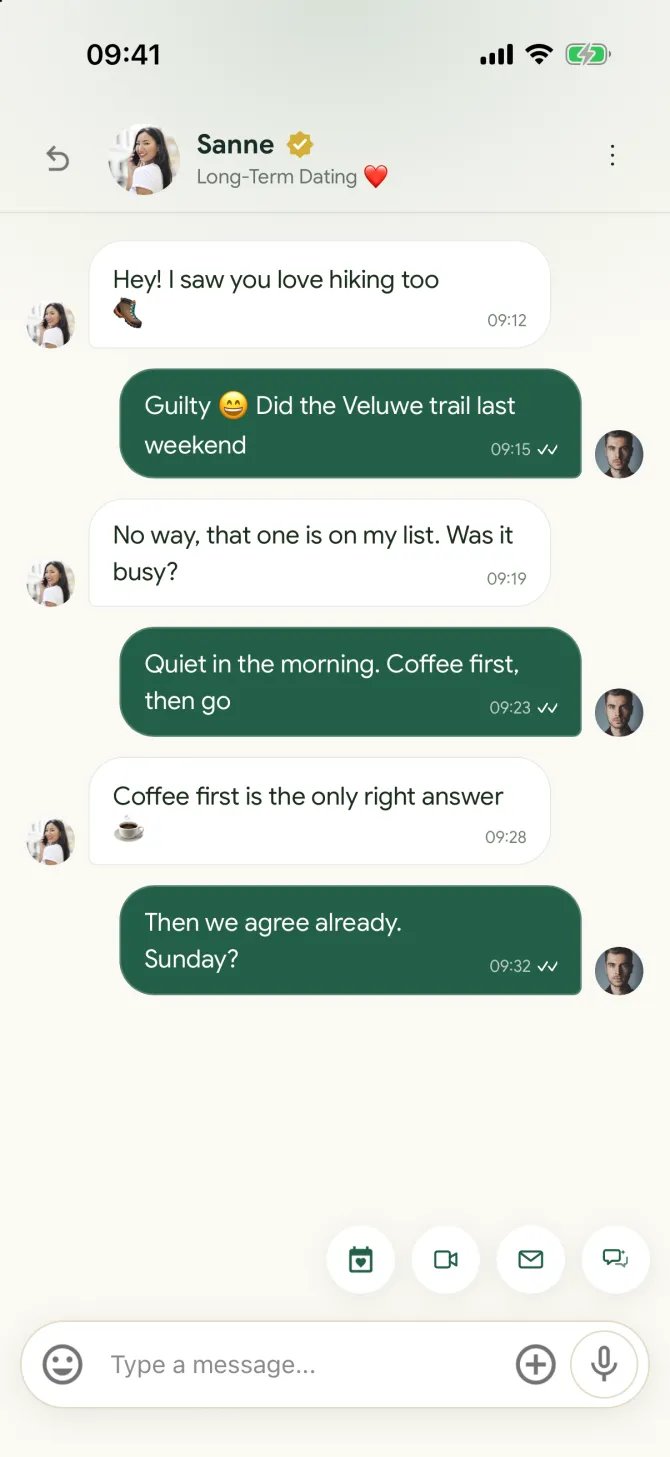
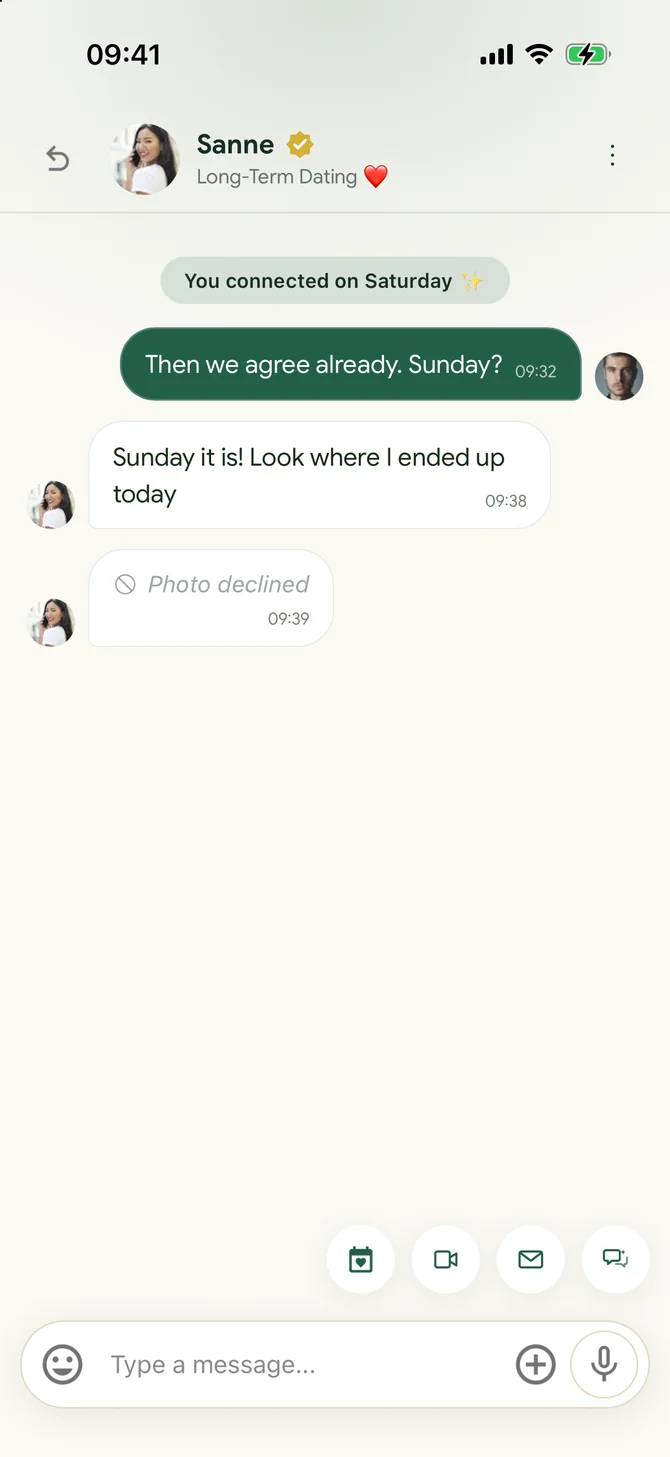
A conversation in the flōw chat
The chat
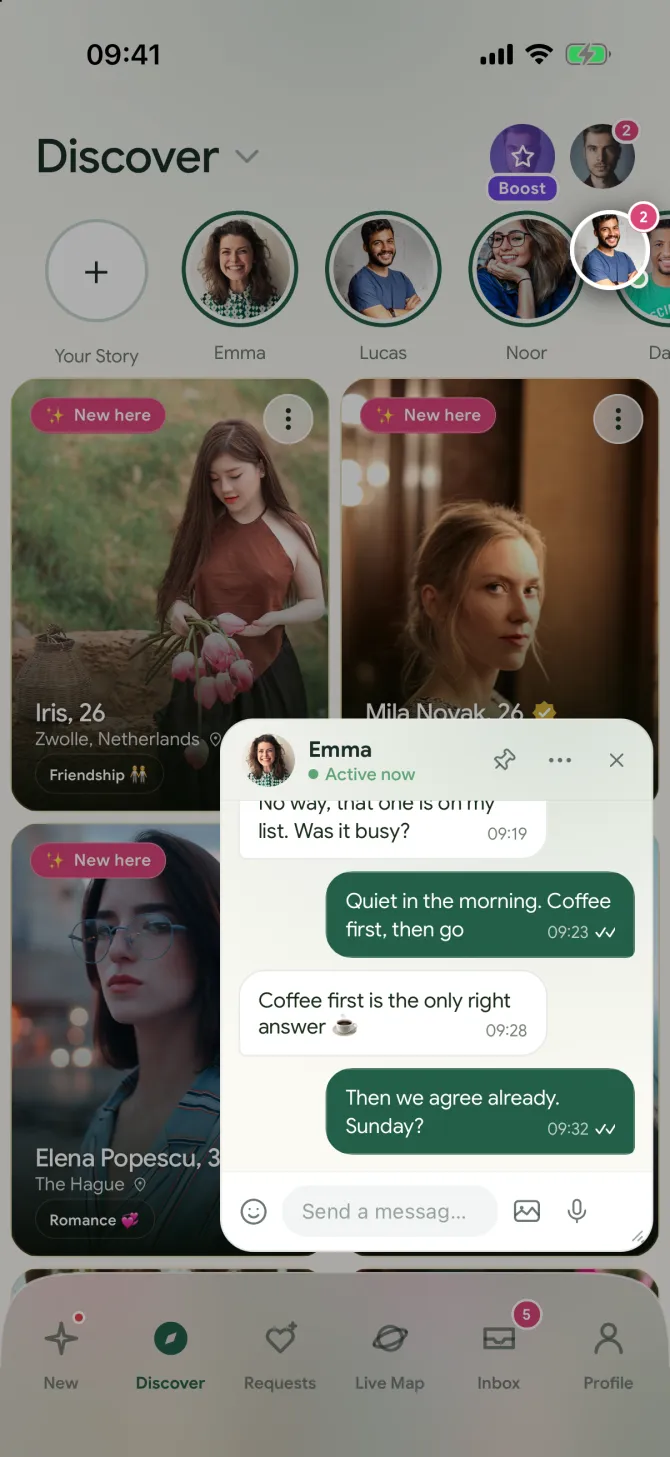
A floating chat window over Discover in the flōw app
Floating chats
CHAT

A conversation that feels like yours.

Send text, moderated photos and voice notes. Reply to a specific message, see typing, and keep conversations close in a floating chat dock.

GO DEEPER

Try a different opener.

The Quiet Question hides both answers until each person responds. No Small Talk offers a guided way to start when neither of you wants another “hey.”

STORIES

Share a moment, not a performance.

Post photo Stories and choose whether everyone or only your connections can see them. Uploaded photos are screened before they appear.

Photos in chat

You choose
what you see.

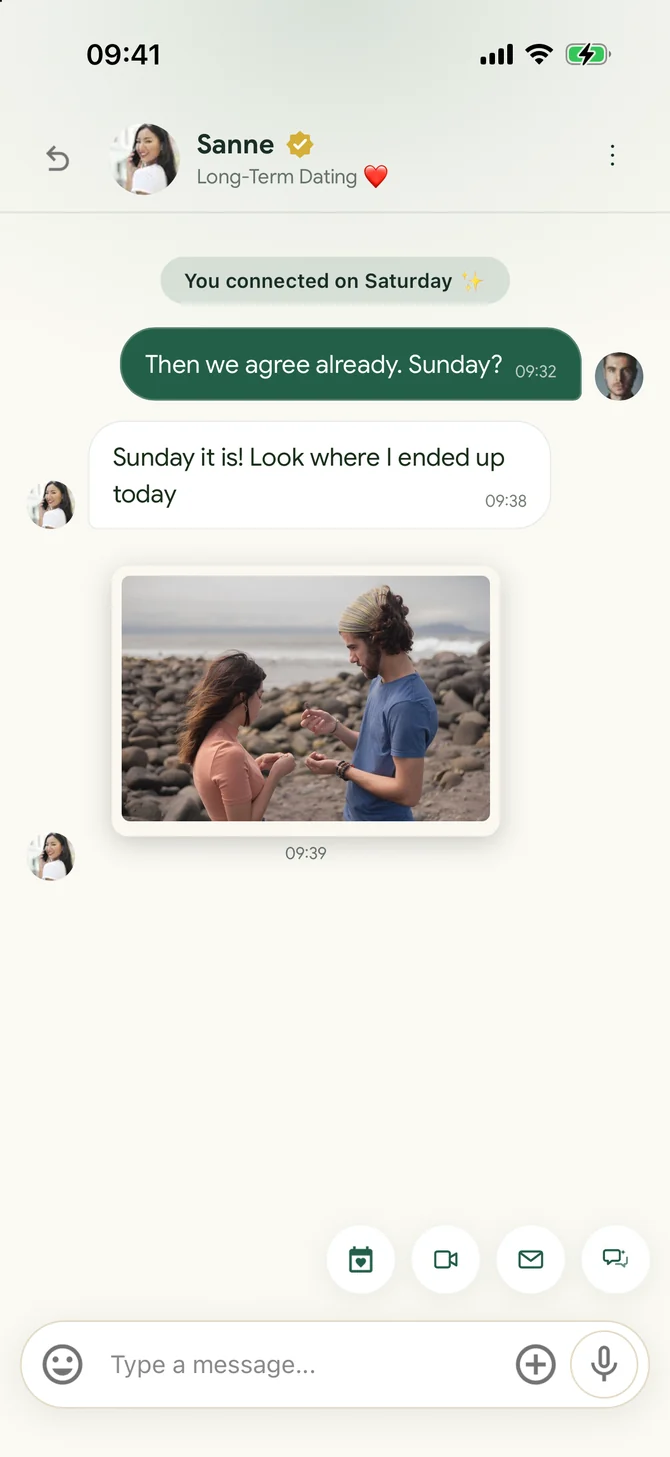
A photo someone sends you arrives blurred. Nothing shows until you choose to see it, and for a chat you trust you can turn blurring off.
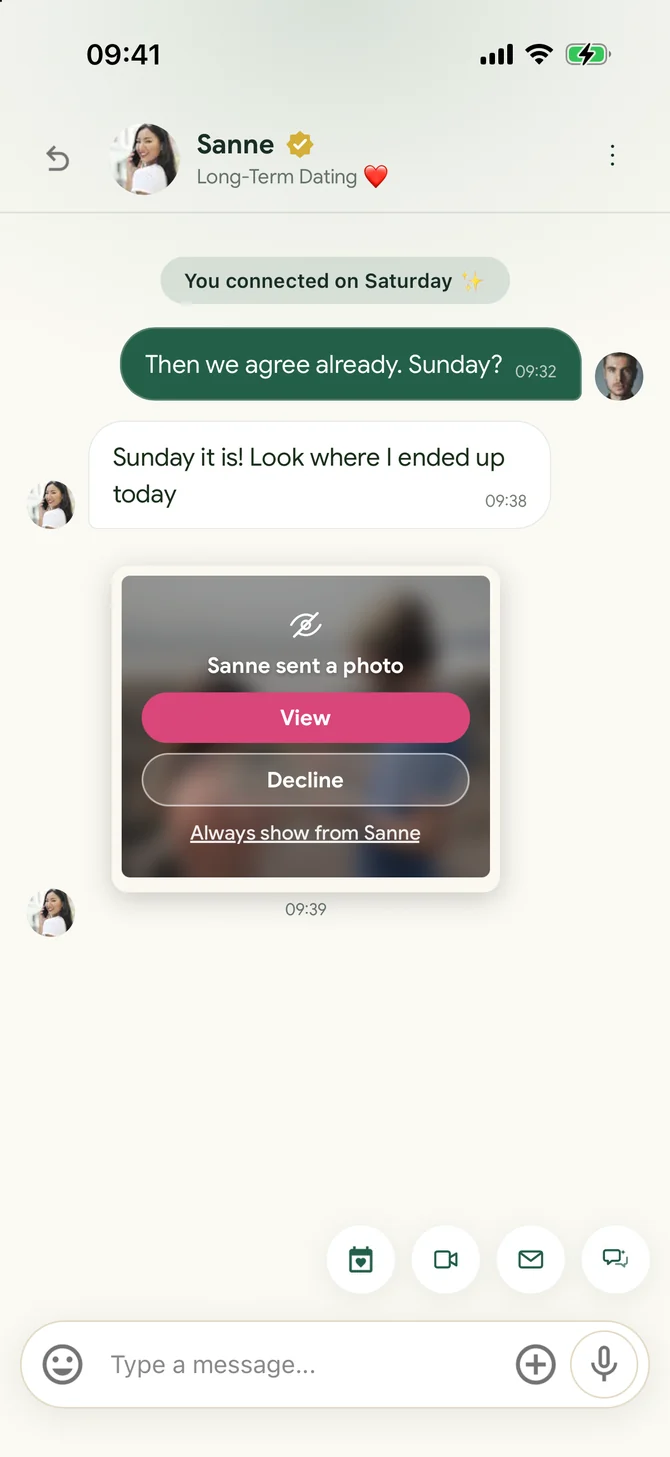
A blurred photo in the flōw chat with the buttons View and Decline
Arrives blurred
The same photo in the flōw chat after tapping View
After View
A declined photo in the flōw chat, replaced by a short note
After Decline
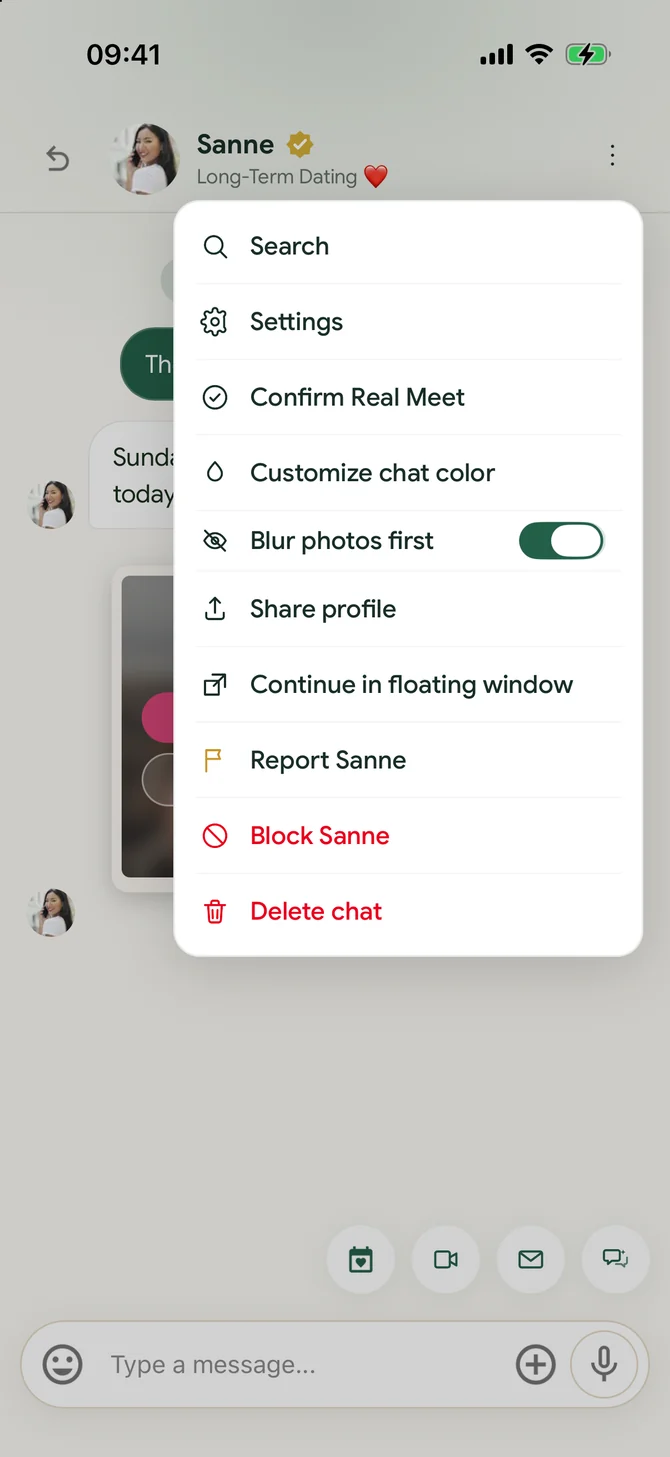
The chat menu in the flōw app with the switch Blur photos first
One switch per chat
  • Blurred firstEvery photo you receive shows blurred, with who sent it. You only see it when you tap View.
  • Decline without a fussDecline leaves a short note in its place. The sender is not told.
  • Always show for one chatTrust someone? Tap Always show and their photos open straight away. Every other chat stays blurred.
  • Change it any timeBlur photos first is a switch in the chat menu (⋮), in the full chat and in floating chats.
  • On all your devicesYour choices are saved to your account, so they follow you from phone to tablet.
  • Still checked for safetyBlurring is your choice. Every photo still goes through our automated safety check.
The Quiet Question

One question a day,
answered blind.

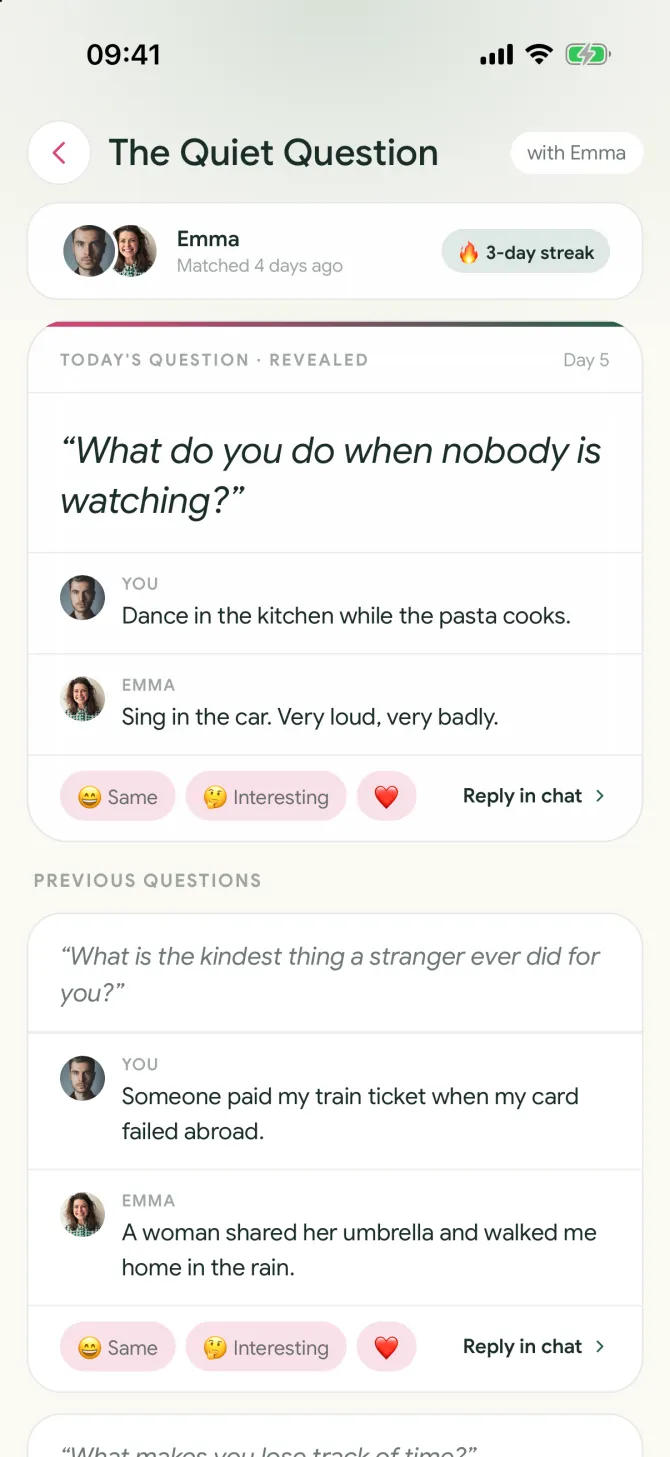
Every day you and a connection get the same question. You only see their answer once you have written your own, so nobody can copy or play it safe.
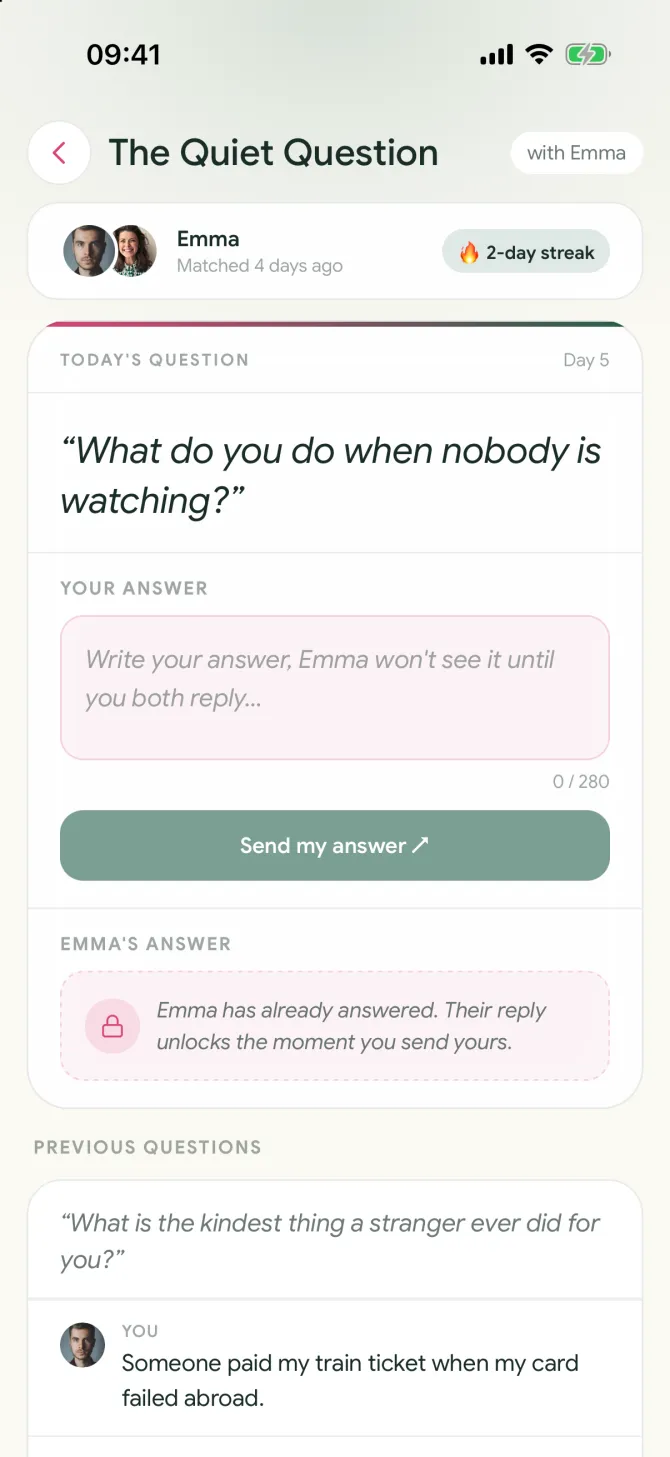
The Quiet Question in the flōw app, with the other answer still locked
Their answer stays locked
The Quiet Question in the flōw app with both answers revealed
Both answers at once
  1. 1
    A new question every dayOne question a day for each connection, the same one for both of you.
  2. 2
    Write yours firstTheir answer stays locked until you send yours. Then both open at the same moment.
  3. 3
    React or replyTap Same, Interesting or a heart, or carry on in the chat.
  4. 4
    Keep your streakAnswer on days in a row and your streak grows.
No Small Talk

Skip the “hey”.
Play a scenario.

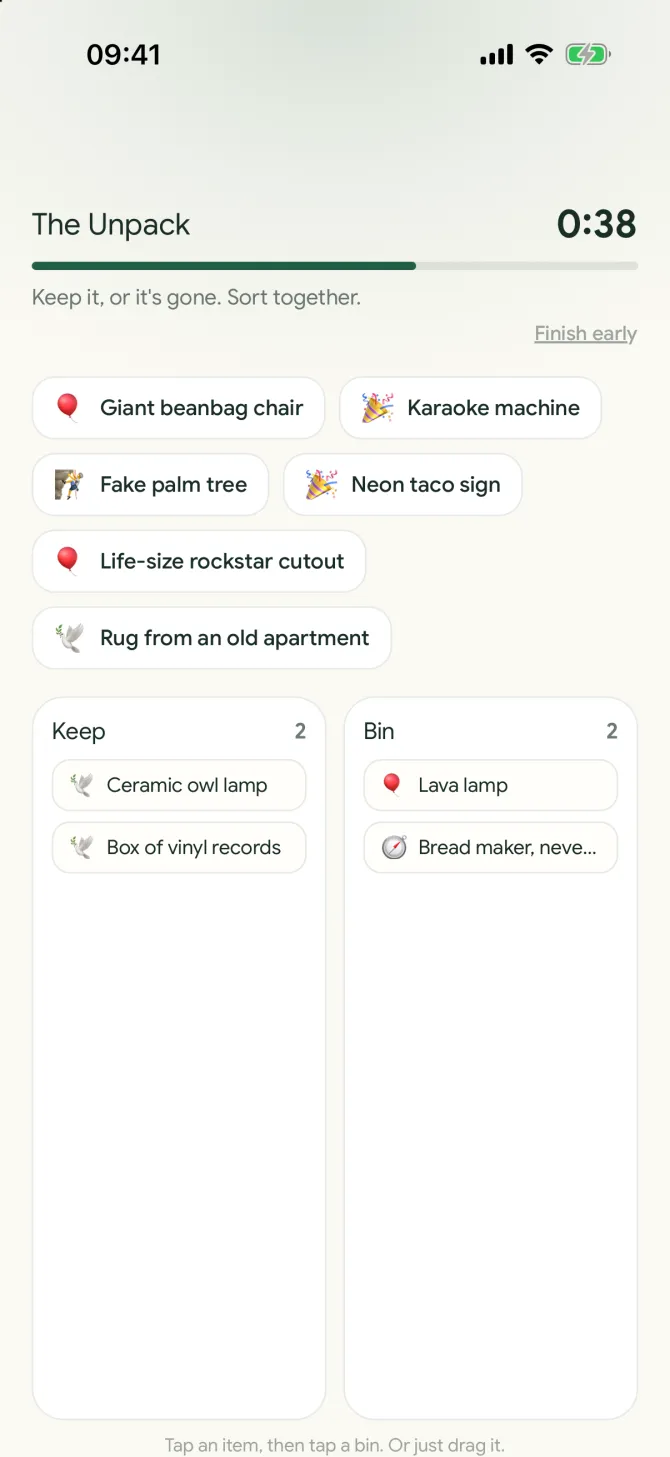
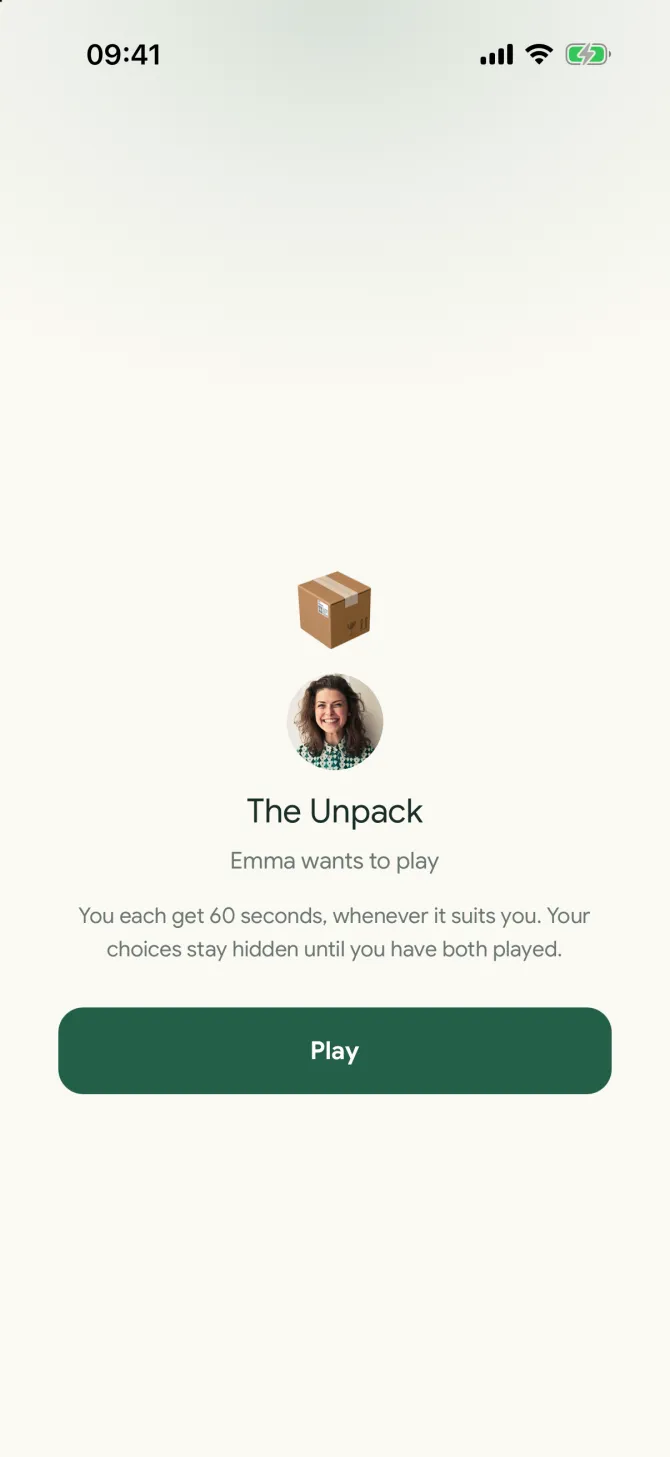
A 60-second game for two inside your chat. You make choices on your own, then see how much you think alike.
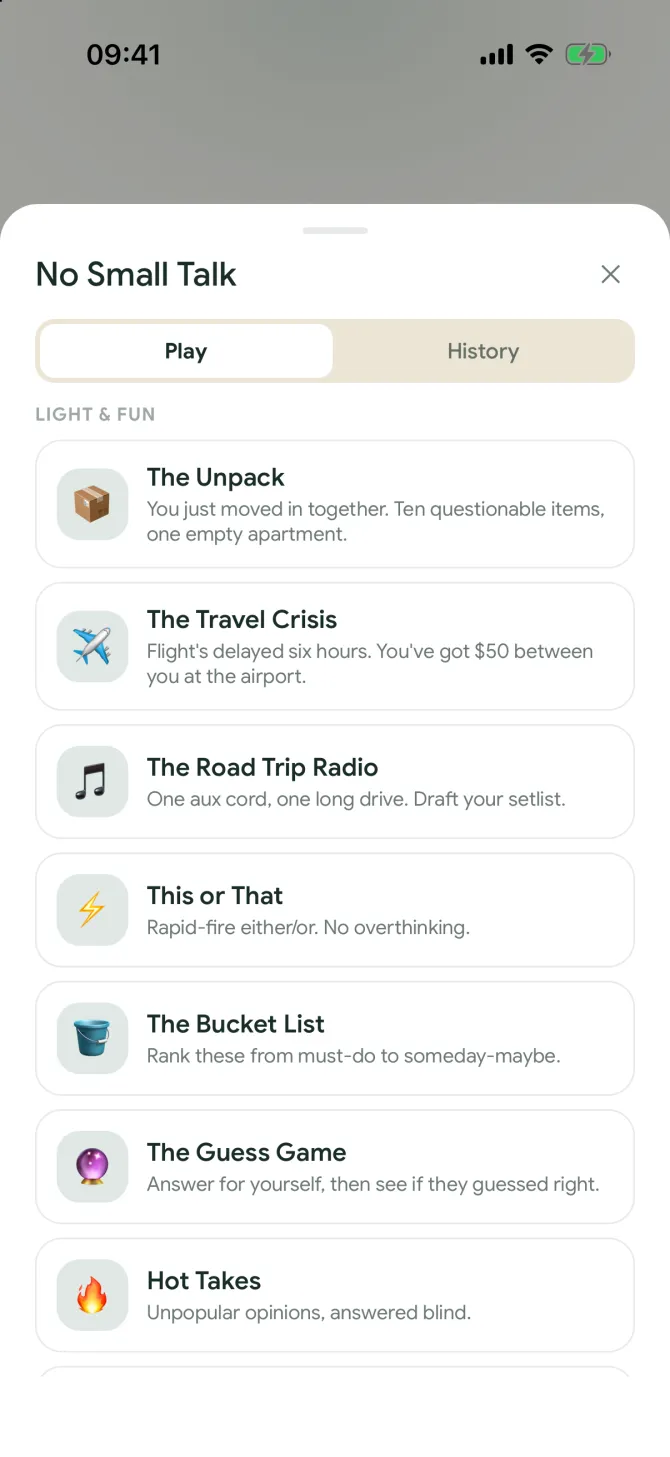
Choosing a No Small Talk scenario in the flōw app
Pick a game
A No Small Talk invite in the flōw app
The invite
Playing a No Small Talk scenario with a 60 second clock in the flōw app
Your 60 seconds
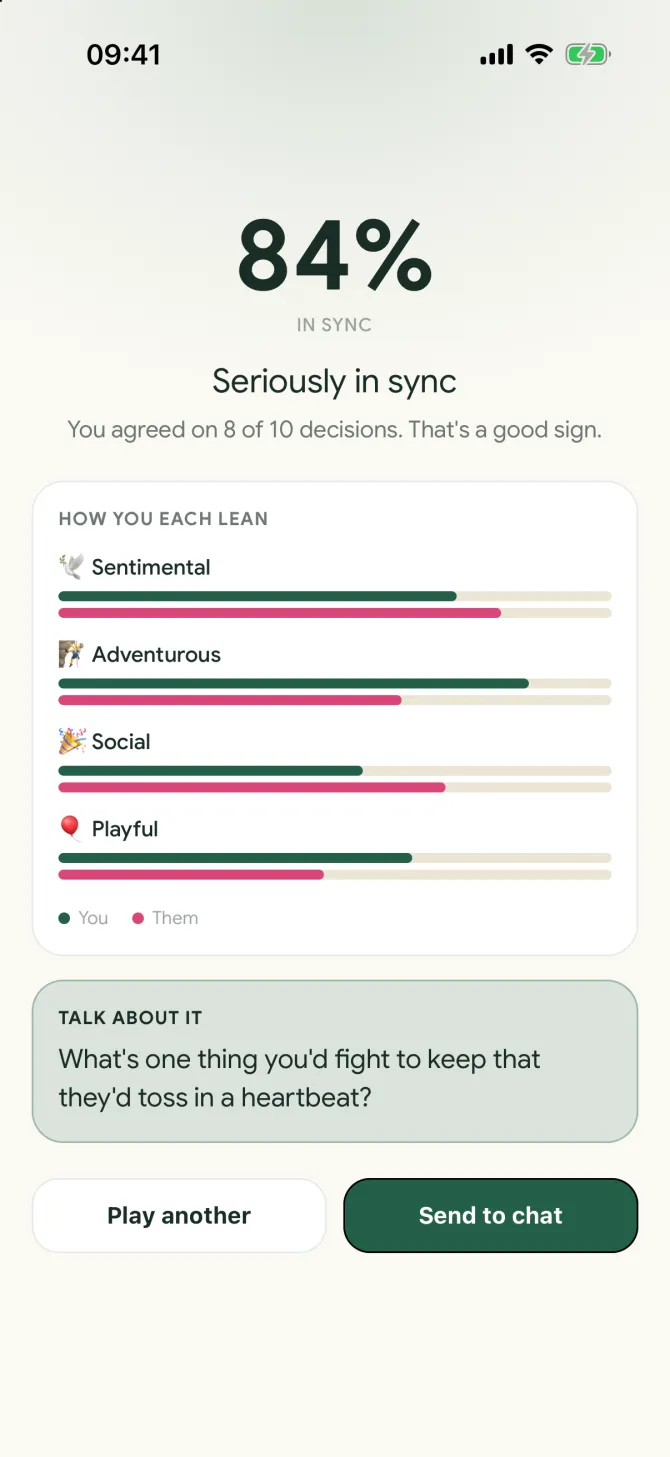
The No Small Talk result in the flōw app, showing how in sync two people are
The result
  • Pick a scenarioLight ones like moving in together or a delayed flight, and more serious ones when you are ready.
  • 60 seconds eachPlay whenever it suits you. Your choices stay hidden until you have both played.
  • A day to playOnce you have exchanged a few messages, send an invite. You both have 24 hours to take your turn.
  • See how in sync you areA score, how you each lean and one question to talk about.
  • Send it to the chatShare the result in your conversation and pick it up from there.
  • Why playIt skips the small talk and gives you something real to talk about.

See where a hello
can lead.

Join for free, explore at your own pace, and make a plan when it feels right.

Get flōw